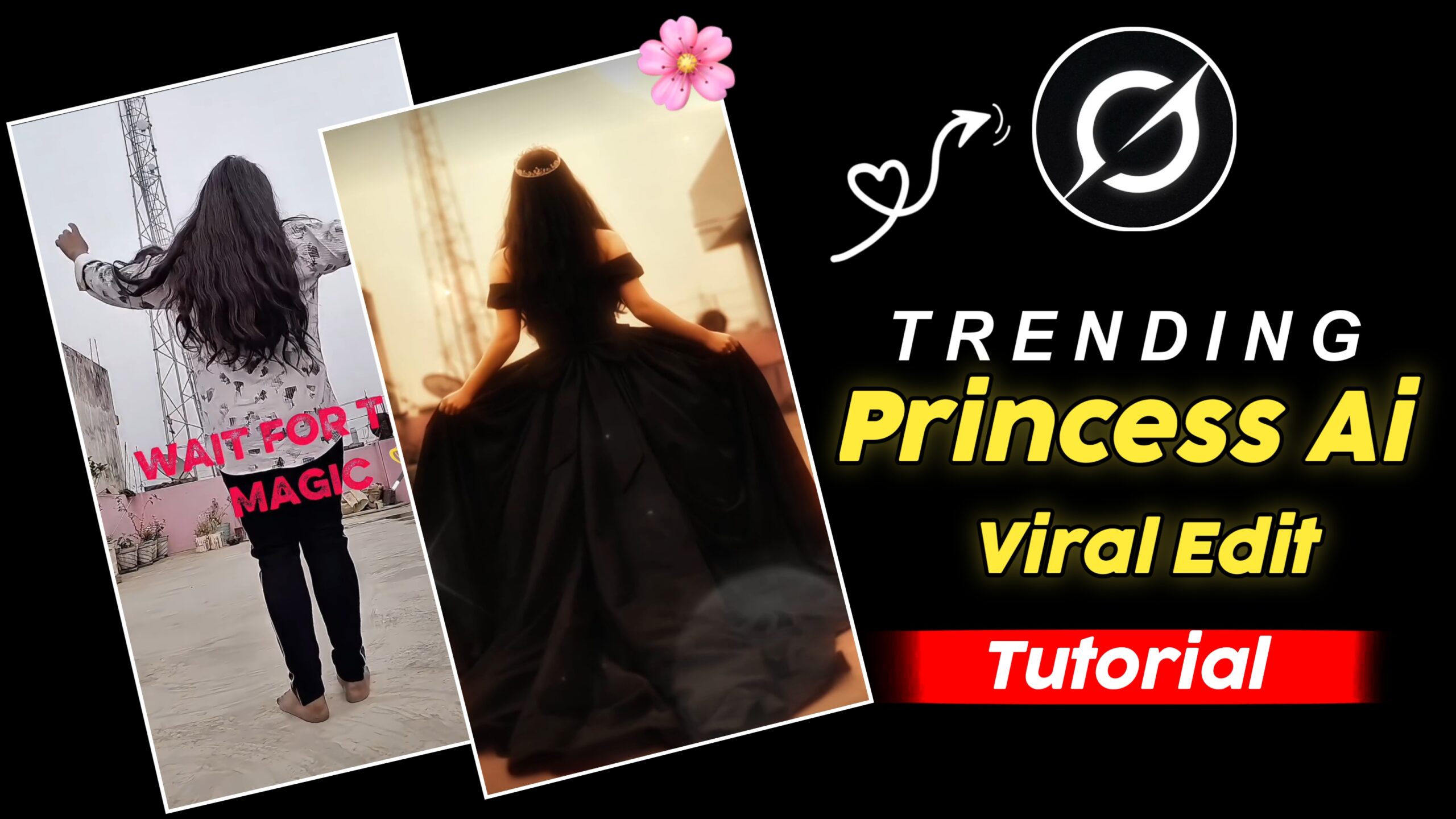
Instagram Trending Princess Ai Viral Edit – So, hello Friends! Today, I’ve brought you an absolutely incredible viral Trend that is currently spreading like wildfire across social media especially on Instagram. It is Going viral so rapidly that people are racking up millions of likes and views on their videos in a single day. If you find that hard to believe, you are bound to come across such videos on Instagram, as they are truly going viral at an astonishing pace. While people are editing these in various ways, I’m Going to show you how to create one using a very Simple and easy Method.
Details Of Trending Princess Ai Prompt
Friends, Videos of this style are Going viral at an incredible pace And just as Quickly as they are spreading, you can edit them yourself, as the Editing process is remarkably simple. This trend is particularly geared towards Girls; given that so many people are creating videos in this format, it is an excellent opportunity for female creators to participate. Furthermore, the specific song featured in this video is currently trending heavily, which is Precisely why these Videos are going Viral even faster.
Chat GPT Prompt How to Do It
Friends, I am Going to Reveal in a very simple manner The secret Behind this trending video. You can edit it using AI; specifically, you can use Chat GPT to Generate the necessary prompts. With this Assistance, you can very easily create such images, convert them into video clips, and edit them to produce a video just like this one. If you do not yet know how to edit videos in this style, rest assured that in today’s world, people are utilizing AI to edit their Videos with Remarkable Speed and efficiency.
Image Prompt 👇🏻
Use the uploaded black princess ball gown dress as the clothing reference.
Replace the clothing of the person in the uploaded photo with the same elegant black royal princess gown.
Keep the same person, same face, same body shape, same pose and same hairstyle exactly as the original photo.
The dress should be a large royal ball gown with a wide flowing skirt, detailed fabric texture, soft folds and cinematic elegance.
Make the clothing fit naturally to the body with realistic fabric physics.Keep the background unchanged. Ultra realistic photography style, natural lighting, cinematic look, sharp focus, high detail, 8K quality
Ultra-realistic cinematic shot of a beautiful princess wearing a long elegant black royal gown, seen from behind. The princess slowly begins walking forward in a graceful slow-motion movement. Her long black hair gently sways with the motion while the large flowing gown softly moves and drags across the ground with natural fabric physics.
The princess walks like a royal queen with calm, elegant posture. Her arms move slightly and naturally while walking. The long black dress fabric waves subtly with each step, creating soft cinematic motion. The ribbon bow on the back of the dress moves slightly with the breeze.
Environment: Outdoor courtyard with soft daylight, white wall and vintage door behind her. Natural lighting with soft shadows.
Camera: Cinematic rear tracking shot following the princess from behind. Slow camera movement. Shallow depth of field. Motion: Natural human walking motion, slow motion elegance, realistic dress physics, hair moving gently with air. Style: Ultra-realistic cinematic look, smooth slow motion, high detail, 4K HDR, vertical 9:16, natural movement, no text, no watermark.
Friends, to Edit a Video like this, you must first follow a few steps; you will also need to read the instructions I am About to share with you very Carefully only then will you be able to edit a Video of this kind.
First of all, to edit a Video like this, you will need to Record a video from your room.
You will need to take a Screenshot of the last Clip of the Video.
Next, Friends, you will need to copy the photo Prompt. Then, open ChatGPT and Edit your photo.
And then, you need to open Grok on Google.
Then, Simply paste the Video Prompt to Generate your Video.
You need to Open the CapCut Application.
Then, After that, you need to add the Video you Recorded with your Camera.
Then, Finally, at the Very end, you need to add Your Cartoon Video.
Next, you need to cut out the Unnecessary parts, and then Export your Video From the Top.
Conclusion – Friends, as I have Explained to you Step by Step if you Follow the method I have Outlined, you will be able to create Videos with Great ease and potentially go viral. I hope you have Understood Everything Clearly.