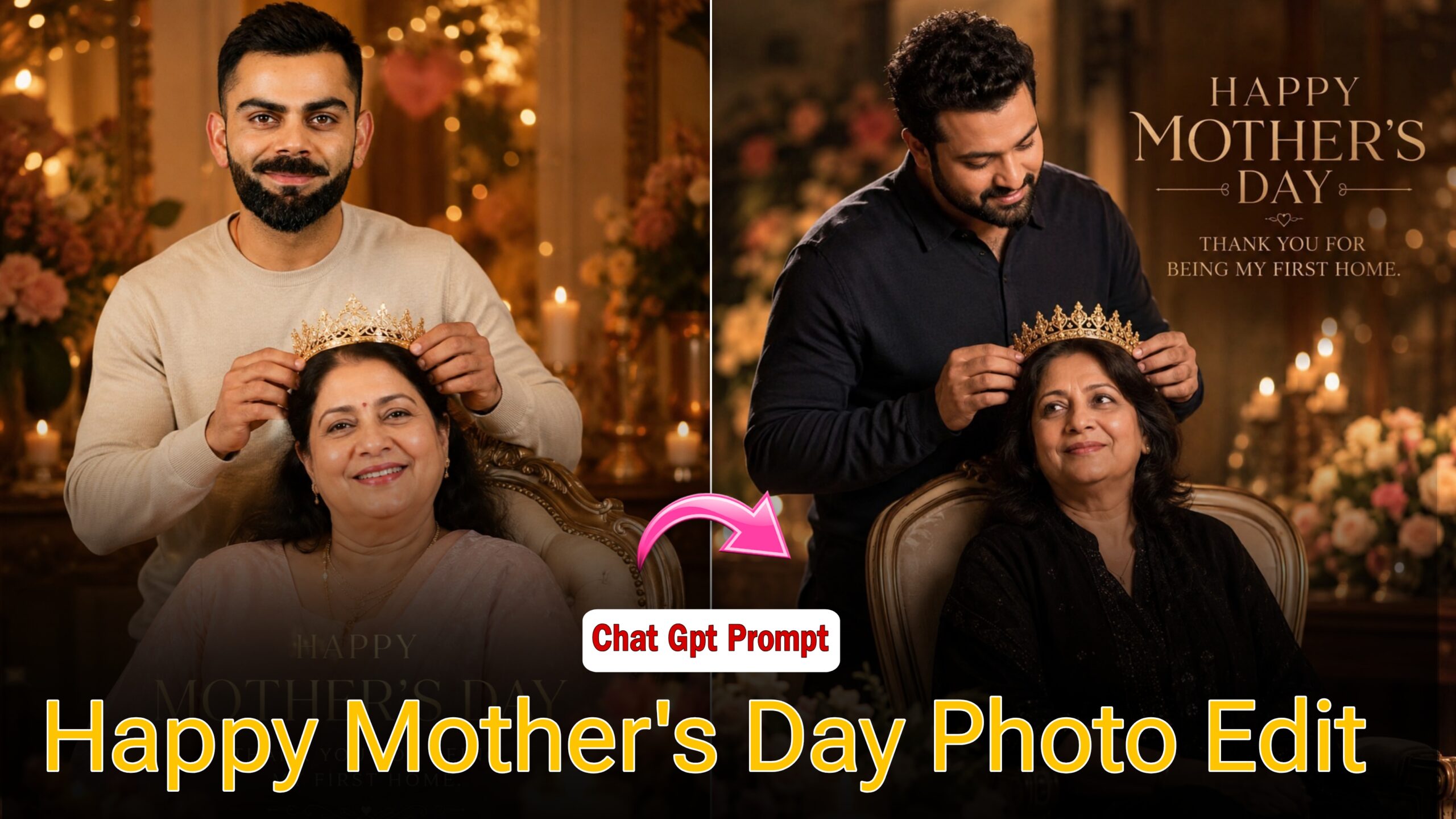
Happy Mother’s Day Viral Photo Edit – Friends, This Particular photo is Going viral on Instagram! Here are some photo Editing Tips for “Happy Mother’s Day.” You have likely come across this “Happy Mother’s Day” image recently, as it is currently Trending everywhere. These viral images Feature a unique “static collage” style. Notably, both girls and boys are using this Trend to create Edited photos with Their mothers. So, this Happy Mother’s Day, why not create your own static-style Photo and Go viral on social media?
Details Of Happy Mother’s Day Ai Prompt
Friends, using a Specific Prompt, you can Transform your ordinary photos into special “Happy Mother’s Day” images. Creating this is incredibly simple. First, you will need two photographs: select a picture of your Mother for the first one, and choose a photo of yourself for the second. Ensure that both images are clear and were Taken at close range. Once you have these, you can proceed to create a Beautiful Mother’s Day image. Furthermore, if you want your photo to go viral on social media immediately after Posting, you should follow these Additional steps: whenever you are ready to upload, Make sure to add a suitable Background Track that Complements Your image. Additionally, Ensure that the photo you Upload is of High Resolution ideally 4K or 8K To maximize its Potential for Going viral Quickly.
What is Happy Mother’s Day Effect Ai Editing ?
In this “Happy Mother’s Day” Photo effect, your image is Designed in a Unique Style that Gives it a Distinct and fresh Aesthetic. The Composition Features a Mother Alongside her son, incorporating a Variety of Elements to enhance the Visual appeal such as the son Adorning his Mother with a crown, a cake placed Prominently in the Foreground, and Decorative Lights and lit Candles Serving as a Backdrop. The Thoughtful use of these various props ensures that your Photograph Looks Absolutely Stunning; it is Precisely for this reason that this Particular “Happy Mother’s Day” photo Design is Currently Going Viral.
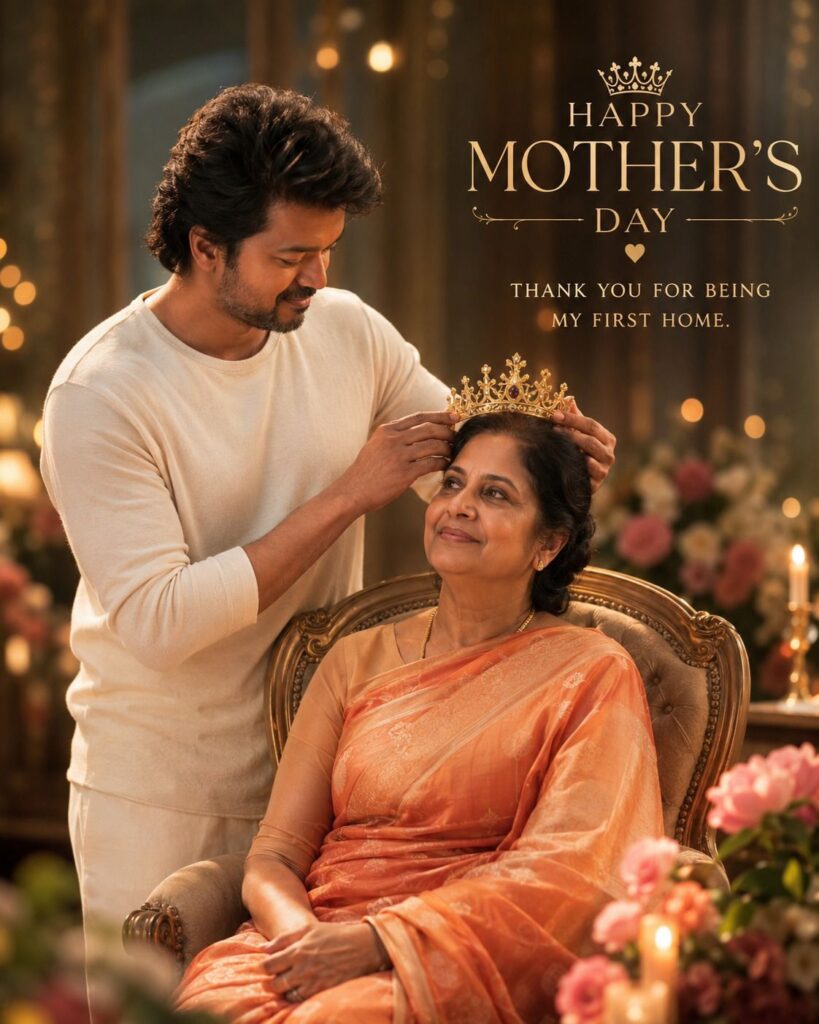
Prompt – 👇🏻
A Uploaded image Create an emotional and cinematic Mother's Day tribute poster in a vertical 4:5 ratio featuring a beautiful South Asian mother and daughter sharing a deeply loving bond. Maintain the exact same facial identity from the reference image with ultra-realistic skin texture, natural expressions, and soft emotional detailing. The composition should have: * Foreground: A stunning high-definition colorful portrait of the mother and daughter standing side by side, tightly hugging each other with emotional smiles and teary happy eyes. The daughter rests her head gently on her mother's shoulder while the mother holds her protectively with warmth and pride. Soft golden sunlight falls beautifully on their faces, creating a dreamy glowing highlight effect. Rich cinematic depth, realistic shadows, premium DSLR quality, elegant pastel tones, and emotional storytelling photography. * Background: A large faded monochrome (black & white) candid picture of the same mother and daughter laughing together naturally, slightly blurred with soft grain texture, creating nostalgic emotional memories. The monochrome background should feel timeless, warm, and sentimental. * Text Styling: Elegant glowing typography saying: "Happy Mother's Day" and below it in stylish handwritten cinematic font: "With you, nothing feels impossible Amma…" * Overall Aesthetic: Luxury emotional poster design, cinematic lighting, soft bokeh, emotional Indian family vibe, heart-touching mother-daughter chemistry, ultra realistic, cozy warmth, premium Instagram reel cover aesthetic, dreamy atmosphere, highly detailed HD quality, natural saree/outfit flow, subtle lens flare, wholesome emotional composition realistic photo create 4:5
How To Edit A Video
Friends, To Edit a Video like this, you Must first follow a few Steps; you will also need to read the instructions I am About to share with you very Carefully only then will you be Able to Edit a Video of This Kind .
- First, you need to open ChatGPT.
- Next, click on the plus icon to add a photo From your Gallery.
- Then, paste The prompt
- After that, click the Arrow Button to send it.
- Within just a few seconds, your Generated photo will Appear.
- Click at the Top to Save the image to your Gallery.
Conclusion
Friends, as I Have Explained to you step-by-step if you Follow the Method I have outlined, you will be able to create videos with great ease and Potentially go viral. I hope you have Understood Everything Clearly.